Insights Table
The Insights table and Aggregate treemap are either-or choices for the top half of the page and drive the Trend & forecast drill-down chart in the bottom half.
Insights Table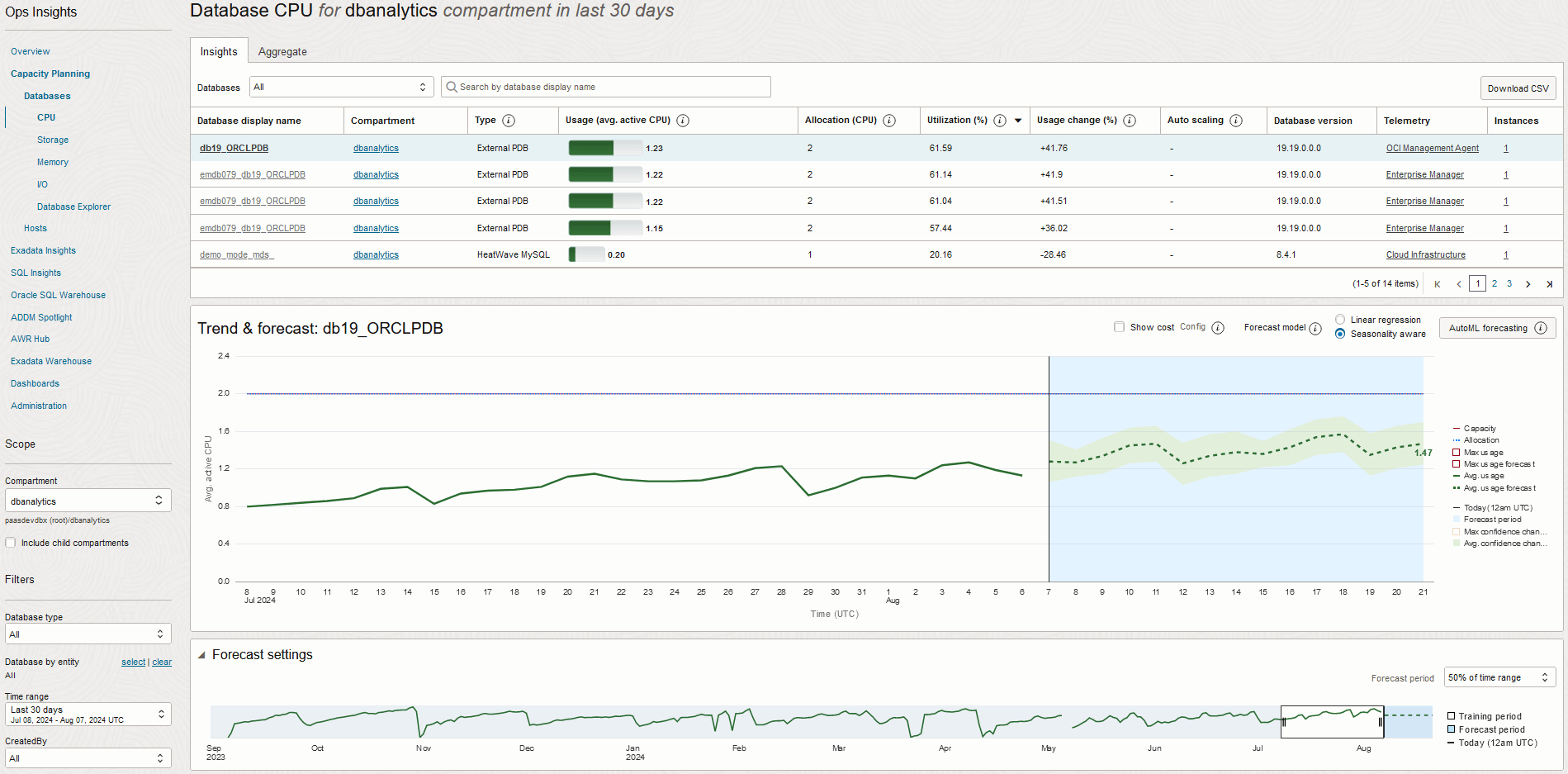
Database Types
- LH-D: Autonomous AI Lakehouse Dedicated
- LH-S: Autonomous AI Lakehouse Serverless
- AJD-D: Autonomous AI JSON Database Dedicated
- AJD-S: Autonomous AI JSON Database Serverless
- AJD-C@C: Autonomous AI JSON Database Cloud@Customer
- APEX-D: Autonomous AI Database for APEX Dedicated
- APEX-S: Autonomous AI Database for APEX Serverless
- APEX-C@C: Autonomous AI Database for APEX Cloud@Customer
- External NonCDB: External Non-Container Database
- External PDB: External Pluggable Database
- Virtual Machine PDB: Virtual Machine Pluggable Database
- Bare Metal PDB: Bare Metal Pluggable Database
- ExaDB-D PDB: Exadata Database Service on Dedicated Infrastructure pluggable database
- ExaDB-D NonCDB: Exadata Database Service on Dedicated Infrastructure non-container database
- MySQL Database: MySQL HeatWave Database Services and external MySQL Database Systems
Note
ExaDBs monitored by Enterprise Manager are also allowed.
ExaDBs monitored by Enterprise Manager are also allowed.
- Usage (avg. active CPU): 90th percentile value of the daily average CPU usage over the selected time period.
- Allocation (CPU): Total number of CPUs allocated to the database across instances.
- Utilization (%): Utilization percentage for the 90th percentile value of the daily average CPU usage over the selected time period.
- Usage change (%): Percentage change in the linear trend of CPU usage over the selected time period.
- Auto scaling: Indicates whether auto scaling enabled or not.
- Database version: Version of the Oracle Database.
- Telemetry: The source platform of the database: Cloud Infrastructure, Enterprise Manager, or Agent Service
- Instances: The number of instances. Click on the instance number to display a list of the instance and host names.
The table facilitates a number of tasks in support of Capacity Planning use cases:
- Isolates databases with current or forecasted high (or low) utilization
- Quickly compare these databases to each other by size or usage to prioritize analysis
- Identify databases with fastest growth (shrinkage) in CPU demand over the time period
Selecting a database row in the Insights table will display historical trends and future forecasts for CPU usage for that database in the lower half of the page, described next.