Uninstall the add-in
The following section describes the steps to uninstall the Oracle Database add-in.
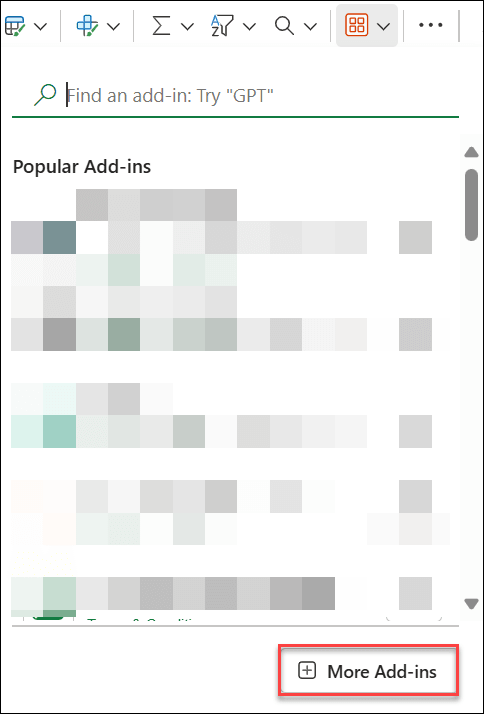
- Click the Add-ins icon from the
Homemenu and select + More
Add-ins from the bottom of the Add-ins drop-down list.
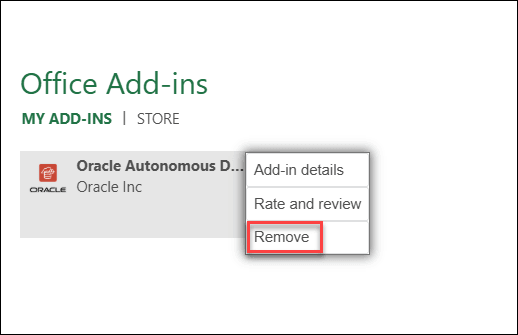
- Click MY ADD-INS from Office Add-ins and right-click the Oracle Database for Excel add-in.
- ClickRemove to uninstall the add-in from
Excel.
If you have installed Oracle Database for Excel for Windows using Database Actions, you can uninstall the add-in by following these steps:
- Delete the manifest.xml file from the folder located in %LOCALAPPDATA%\Oracle Database\manifest .
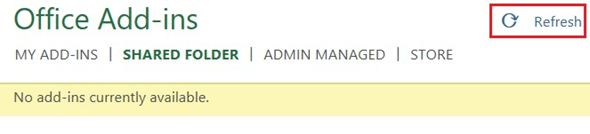
- Click Refresh in the Office Add-ins window to remove the
Oracle Database tab from MS Excel.
After uninstalling the Add-in, if you re-install it from a different database, the add-in attempts to load the old database. You must check if the shared manifest folder's location (share path) points to the correct location. For more details, refer to Configuring the Excel Trusted Add-in Catalog in FAQs for Troubleshooting errors with Excel Add-in.
Uninstall the add-in for Mac
To uninstall the Oracle Database for Excel for Mac:
- Enter the following command in the terminal to remove the manifest.xml file.

The Oracle Database for Excel is uninstalled from Mac.
Parent topic: Oracle Database for Excel